Place your cursor
Open a regular text field in a message, document or note.
FREE TO USE. NO SUBSCRIPTIONS.
Dictate messages, documents and notes into a regular text field. VibeScribe recognizes speech on your computer and inserts the text when you release your hotkey.
Windows 10 / 11 · x64
Scripted example. No microphone access.
Choose an example type and hold the button. Release it to see the result.
The example text will appear here…
01 / THREE STEPS
Open a regular text field in a message, document or note.
Wait for “Listening” and say what’s on your mind. You can change the shortcut.
Keep the same field focused until recognition finishes. Review the inserted text and send it yourself.
02 / FILLER WORDS AND REPETITIONS
We do not remove recognized filler words or repetitions.
Removing them automatically is technically possible. We deliberately keep them so you can notice your speech habits and practise speaking more clearly. This applies to every model.
Read the transcript, notice an unnecessary repetition and try saying the sentence again. You decide what to practise; the app does not rewrite what you said.
Whisper can make mistakes and omit words. Verbatim transcription is not guaranteed. VibeScribe does not score pronunciation — you reflect on your own speech.
“I need to, need to write this down.”
An example of a repetition you may notice when reading.
The recognized repetition stays in the text.
03 / FEATURES
Recognition on your computer. No audio or transcripts sent to the cloud, no account. Once a model is downloaded, dictation works offline.
Switched windows during recognition? Your text stays in VibeScribe for copying. The app never presses Enter for you.
Save memory or keep the model ready for a faster response. Use your CPU or a compatible NVIDIA graphics card.
APPEARANCE
Choose its colour, size and transparency. The widget shows dictation status without taking focus away from your work.

04 / CHOOSING A MODEL
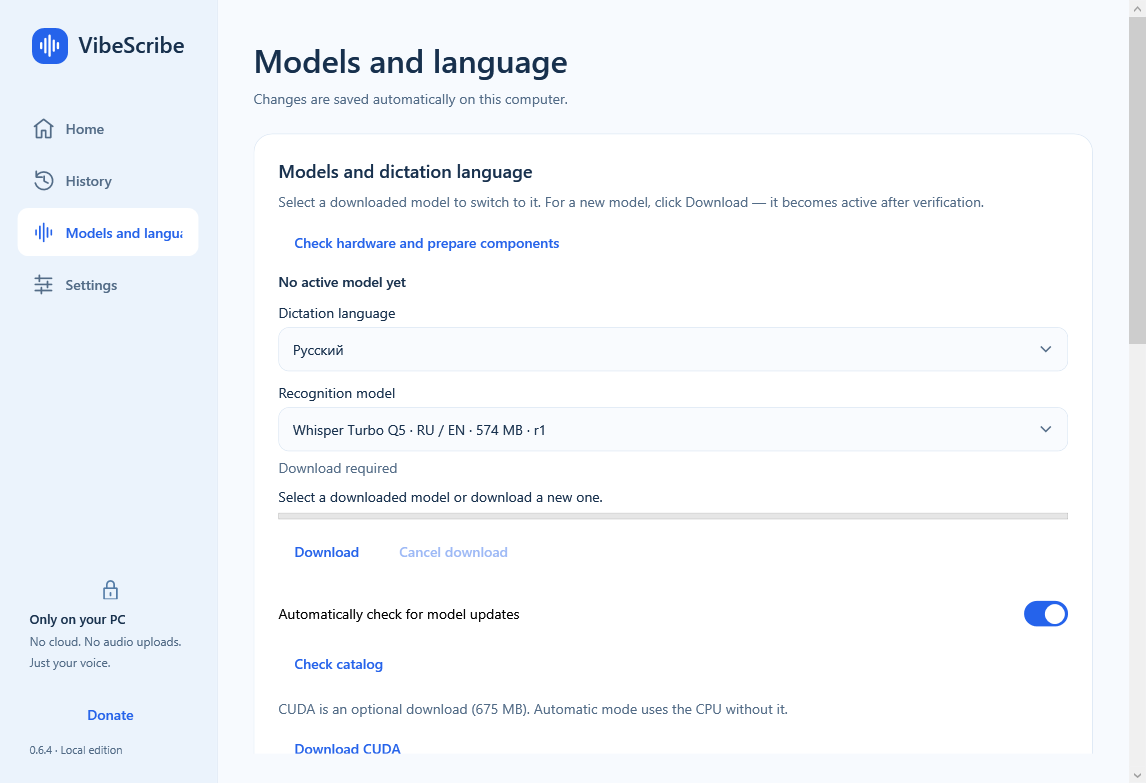
Choose from three models in the app. Turbo Q5 and Small Q5 support both languages; Base English supports English only. Speed depends on your computer.
A model from the Whisper large-v3-turbo family for English and Russian speech. Speed depends on your processor and graphics card.
For English and Russian speech. The 190 MB download is smaller than Turbo. Compare recognition quality and speed using your own phrases.
A compact model for English dictation. For Russian speech, choose Turbo Q5 or Small Q5.
NVIDIA CUDA is an optional download of about 675 MB. CPU recognition does not need it. A compatible driver and enough GPU memory are required.
FREE. NO SUBSCRIPTIONS.
There are no payments for the app or its use. Choose the installer for a regular installation, Portable to run from a folder, or the offline bundle for a PC without internet access.
For a regular installation on your PC. Download a model from the app on first launch.
Download installerExtract the archive to a separate folder and run VibeScribe.exe. Models are downloaded separately.
Download PortableFor a PC without internet access: the app, three models and CUDA. Component preparation needs at least 5 GB in the data folder.
Download offline bundleWindows 10/11 x64 · 8 GB RAM or more recommended · Microphone
All versions and release notesApproximate download sizes for version v0.6.4 · 2026-09-10.
The app is not yet publisher-signed: Windows may display a warning. Checksums are in SHA256SUMS.txt on each release page. A new PC may require Microsoft Visual C++ Runtime x64.
QUESTIONS AND ANSWERS
VibeScribe is completely free to use. No subscriptions or payments — you do not pay for the app or for using it. Just download it, choose a model and get started.
Not for dictation, once a model is installed. Internet is used to download the app, models and CUDA, and check for updates. Automatic checks can be disabled; downloading and restarting require your action.
VibeScribe recognizes speech locally. Temporary audio files are deleted after processing; a crash can leave a file behind. History is off by default. If enabled, transcripts are stored on your computer. Clipboard insertion is subject to Windows clipboard history and sync settings; Unicode input without the clipboard is also available.
It is a deliberate principle for every model: the app applies no filler-word filter or editorial rewriting. Reviewing a transcript can help you notice speech habits. Recognition itself can still omit words — exact verbatim transcription is not guaranteed.
No, the app works on your CPU. Compatible NVIDIA hardware with the optional CUDA component can accelerate recognition. AMD and Intel graphics use CPU recognition. Speed depends on the model and hardware.
VibeScribe is designed for regular text fields. Password fields, protected fields and applications with higher privileges are unsupported. Some editors and remote sessions may reject automatic input. In that case, copy the result manually.
Yes. English and Russian dictation are selected independently of the interface language. Turbo Q5 and Small Q5 support both; Base English is for English only.